


Imagine you just found the perfect weekend read on the Toronto Public Library’s Libby app, only to realize it won’t load on your Amazon Kindle. For years, Canadian readers have been forced into a frustrating compromise between two major tech giants. If you buy a Kindle, you get Amazon’s massive bookstore but lose access to local library lending. If you choose a Kobo, you get Indigo integration and library books, but say goodbye to your existing Kindle purchases. Industry experts refer to this as a “walled garden”—a closed digital ecosystem designed to keep you locked exclusively inside one company’s store. Uncover the best info about Onyx ereader Canada.
Living inside these digital walls creates a few very specific headaches for avid readers. According to common consumer tech feedback, the most frequent frustrations with current closed e-readers like Kindle and Kobo include:
- Being forced to rebuy books you already own just because you switched device brands.
- Missing out on independent reading apps, digital newsstands, or manga platforms.
- Juggling multiple devices because your standard e-reader cannot handle work emails or complex PDF documents.
- Lacking a proper way to write notes, highlight text naturally, or sign documents.
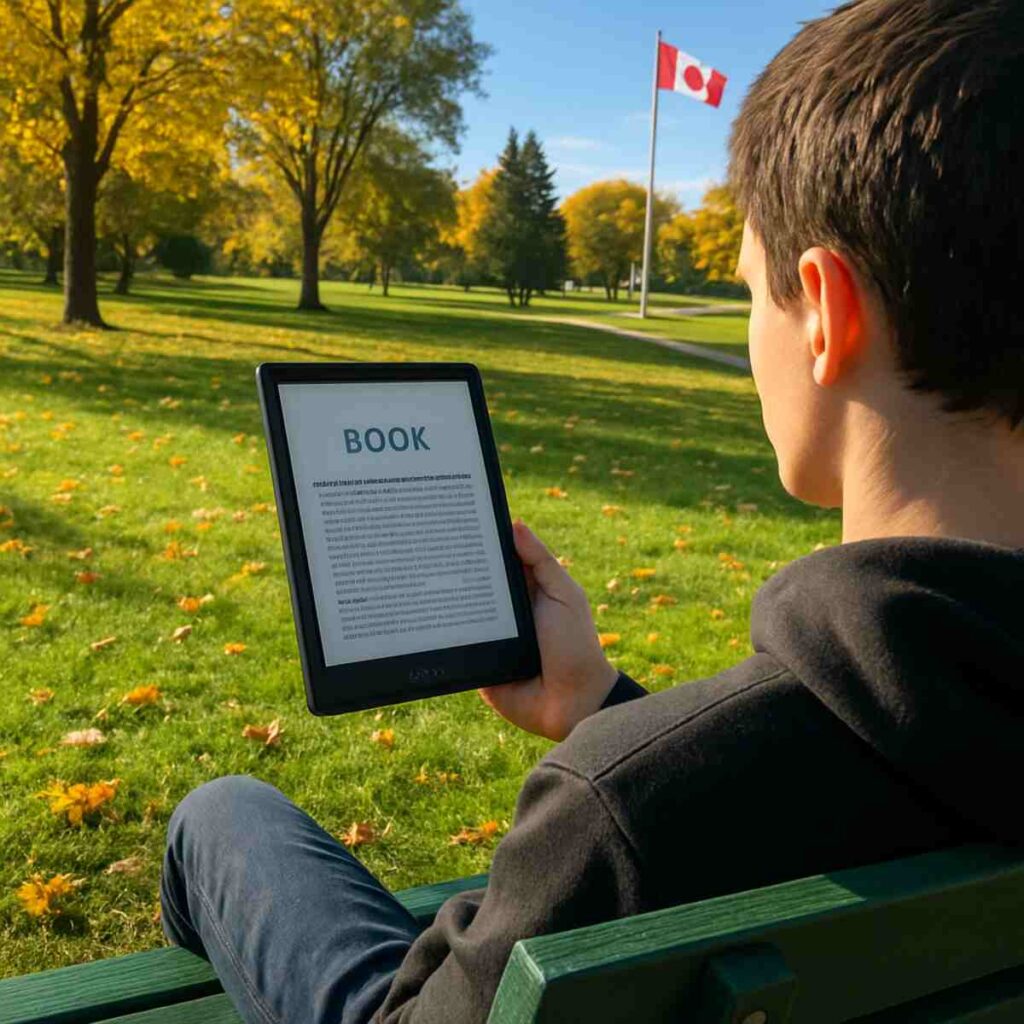
Faced with these limitations, you might be tempted to just use a standard tablet like an iPad instead. However, taking a traditional tablet to a sunny park in Vancouver quickly turns into staring at a glaring reflection of your own face. Beyond the frustrating daylight glare, backlit screens project light directly into your eyes, which optometrists note can cause “digital eye strain” or a gritty feeling after an hour of reading. Specialized e-ink technology solves this by using digital ink particles that move like physical paint, requiring no backlight to see, making it look and feel exactly like real paper.
Breaking free from this compromise is exactly why a new category of devices is quietly gaining traction. Enter the “Open Android” e-reader. Think of it as a device that takes the eye-friendly, glare-free screen of your basic e-reader and unlocks the front door, giving you access to the entire Google Play Store. This means you can download the Kindle app, the Kobo app, Libby, and even the New York Times, all on a single device. It is the core reason almost any comprehensive onyx ereader review highlights their ability to completely tear down those restrictive walled gardens.
Consolidating your reading apps is only the beginning of how these devices bridge the gap between a traditional book and a full-fledged tablet. When you add a specialized stylus into the mix, you transform a simple reading screen into a highly capable digital notebook. Whether you are annotating a complex PDF for work, jotting down a grocery list, or sketching out ideas, the experience mimics a pen scratching across real paper. This practical versatility is why tech reviewers consistently rank Onyx devices among the best e-ink tablets for note-taking in Canada.
Searching for an Onyx ereader Canada model can feel a bit daunting at first, as you won’t typically spot them sitting on the shelf at your local big-box electronics store. Because these are premium devices—essentially combining the brains of a smart device with the screen of a paperback—they require a slightly different shopping approach and a larger initial investment. Specific features of these open-ecosystem devices determine if upgrading to a premium E-ink tablet makes sense for your daily reading and working habits.
Table of Contents
From Kindle to Boox: How the Open Android System Solves the ‘Walled Garden’ Problem
If you have ever felt trapped deciding between your Amazon library and supporting Indigo, you are experiencing the “walled garden” problem. Standard e-readers force you to pick a single ecosystem, meaning your Kindle books, Kobo purchases, and library loans live on entirely separate devices. Onyx Boox breaks down these walls by offering full access to the Google Play Store on e-ink devices. Instead of being locked into one store, you simply download the apps you already use on your phone, bringing your entire digital library together on a single, glare-free screen.
Navigating this open system feels surprisingly familiar thanks to the custom Android e-ink skin running on the device. Think of this software as the exact same system that powers a Samsung tablet, but heavily modified to look clean and conserve battery on a slow-moving, paper-like display. You don’t need any technical skills or complicated workarounds to get your books onto the device. If you know how to search for an app and tap “Install,” you can instantly switch reading ecosystems without plugging into a computer or manually transferring files.
Consolidating your reading life becomes incredibly easy once you have access to the right tools. When comparing a standard Kobo vs Boox for Canadian readers, the real advantage of the Boox is being able to build a personalized dashboard of essential apps:
- Libby: The easiest answer to how to borrow library books on Android e-readers, connecting directly to branches like the Toronto Public Library.
- Kindle: For accessing your existing Amazon purchases and Kindle Unlimited subscriptions.
- Kobo: So you can continue buying books from Indigo while reading on your preferred device.
- Pocket: Perfect for saving long web articles to read later without heavy screen glare.
- OneNote: For syncing your handwritten work notes securely across your phone and PC.
Running everyday smartphone apps on digital paper does require a bit of behind-the-scenes magic called e-ink optimization. Because regular apps are designed for fast, glowing phone screens, they can sometimes leave faint shadows of previous text behind—a quirk known as ghosting. Onyx solves this with adjustable refresh modes that let you adjust the “speed” of the digital ink particles. You can use a slow, careful “HD Mode” to make a novel’s text look perfectly crisp, or switch to a faster mode when scrolling through a news app and need the screen to keep up with your finger.
Having every book, news article, and work document available on a single tablet completely changes how you manage your digital life. You no longer have to compromise on which bookstore you support or carry a second screen just to access a specific document. The true beauty of this open system, however, goes beyond convenience and directly impacts your daily physical comfort. To understand why spending hours reading in these apps feels entirely different than staring at an iPad, we need to look at the science of e-ink and adjustable color temperature.
Why Your Eyes Will Thank You: The Science of E-Ink and Adjustable Color Temperature
Ever wonder why your eyes feel “gritty” after spending an hour reading the news on an iPad or scrolling through emails on your phone? That discomfort comes from staring directly into a glowing light source, which forces your eyes to work overtime. Onyx Boox devices use electronic ink, a technology made of microscopic particles that physically move around the screen like tiny drops of paint. Because this screen does not emit its own light to display text, it relies entirely on the ambient light in your room. This allows for glare-free reading in direct sunlight, meaning you can sit in a bright Vancouver park or next to a sunny window and see your screen perfectly. This physical difference in how the image is created is the primary driver of massive eye-strain reduction for frequent readers.
The biggest difference between a traditional tablet and an E-ink device lies in how they handle illumination when the sun goes down. Your television and smartphone use a backlight, effectively acting like a flashlight pointed directly into your pupils to push the image outward. E-readers, on the other hand, use a front-light system that completely changes this dynamic. Tiny LED bulbs are hidden along the edge of the device, casting a soft glow across the screen, much like a bedside lamp shining down on a physical paperback.
A screen that mimics paper is only helpful if the words actually look as if they were printed by a high-quality press. This is where the standard of 300 Pixels Per Inch (PPI) comes into play on premium e-readers. PPI simply measures how densely packed those tiny digital ink particles are within a single square inch of the screen. At 300 PPI, the particles are so incredibly close together that the human eye can no longer detect any jagged edges on the letters, achieving true “print-quality” text that rivals a physical hardcover you might buy from Indigo.
Reading comfortably at night requires more than just a softer light; it requires the right kind of light, which is why having adjustable front light color temperature settings is so crucial. Onyx uses a feature called Color Temperature Management (CTM) to let you blend cool and warm tones based on the time of day. You can use a crisp, cool white light to stay alert while reviewing documents on a dreary afternoon, and then seamlessly shift the screen to a warm, amber hue before bed to prevent harsh blue light from disrupting your sleep cycle.
Knowing that your device actively protects your vision completely transforms how you interact with your daily digital tasks. Instead of rushing through an article or cutting a work session short due to a headache, you can comfortably spend hours focused on the screen. Once you experience how natural it feels to consume information on digital paper, the next logical step is interacting with it just like a real notebook.
Writing on Paper 2.0: Master Handwriting-to-Text for Meetings and School
Moving from reading to writing on a digital screen usually involves a frustrating compromise: tapping a hard plastic pen against a slippery glass screen. Onyx solves this by engineering a specialized screen layer that mimics the physical resistance of actual paper. When you drag the stylus across the Boox Note series display, you feel a satisfying, subtle scratchiness. This tactile friction doesn’t just sound like a pencil on a notepad; it gives your hand the physical feedback required to write neatly without slipping.
Beneath that textured surface lies a specialized sensor called a Wacom Digitizer, which creates a low-power electromagnetic field over the screen. Because the tablet itself provides the energy, the stylus never needs a battery or a complicated Bluetooth pairing process—you just pick it up and write. More importantly, this technology effectively eliminates noticeable latency, which is the tiny, distracting delay between the moment your pen touches the glass and when the ink actually appears. The digital line flows onto the screen so instantly that your brain simply registers it as real, physical ink.
Once your thoughts are captured, organizing them is where the real magic happens. By using a technology called Optical Character Recognition (OCR), the tablet scans your handwritten cursive or printing and instantly transforms it into perfectly formatted, editable digital text. If you are taking minutes during a Monday morning meeting, this handwriting-to-text conversion on e-ink means you can turn three pages of messy scrawls into a clean email draft in seconds. It completely removes the chore of re-typing your handwritten notes at the end of a long workday.
For anyone relying on cloud storage, transferring these digitized notes to a computer is remarkably seamless compared to older electronic notebooks. Because Boox runs on an open Android operating system, you are not trapped in a restrictive ecosystem that forces you to plug in cables or manually email files to yourself. You can set your notebooks to automatically sync and export to the cloud platforms you already use, such as Google Drive, OneDrive, or Dropbox. Your meeting minutes or class outlines are safely backed up into organised digital folders before you even walk out of the boardroom.
This powerful combination of hardware and software unlocks several practical ways to streamline your daily paperwork. Instead of wasting printer ink just to mark up a document, you can engage with files naturally:
- Annotating Textbooks: Highlight and write directly in the margins of PDF research papers or EPUB books without permanently altering the original file.
- Signing PDFs: Quickly sign digital real estate contracts or school permission slips and email them right back.
- Journaling: Keep a private, password-protected diary that feels exactly like a premium Moleskine notebook.
- Sketching: Use pressure-sensitive brushes to draw or mind-map complex projects without the distraction of incoming tablet notifications.
Ultimately, deciding whether these capabilities align with your workflow requires considering the broader market. When searching for the best e-ink tablets for note-taking in Canada, buyers often narrow their choices to two premium options. People often ask: are Boox devices worth it for students and professionals, given the heavy marketing of their biggest competitor?
Boox Note Air3 vs. Remarkable 2: Which Note-Taking Tablet Wins for Students?
When shopping for the best e-ink tablets for note-taking in Canada, you will inevitably run into aggressive online advertising for the Remarkable 2. It is undeniably a gorgeous, minimalist piece of technology that feels incredible to write on, making it a tempting upgrade for anyone tired of standard paper notebooks. However, a beautiful exterior often masks deep functional limitations that can frustrate students and busy professionals once the honeymoon phase wears off. Deciding between these two premium devices comes down to whether you want a digital tool that adapts to your existing habits, or one that forces you to change how you work entirely.
The core difference lies in how these devices handle software. The Remarkable operates in a “closed ecosystem,” meaning it functions like a secure, locked room where you can only use the tools the manufacturer provides. In contrast, the Boox Note Air3 functions as “open hardware.” Because it runs on a customized version of Android—the same flexible system powering Samsung phones—it allows you to seamlessly install the apps you already rely on every day. Instead of being stuck with a basic, proprietary reading app, you can easily load your local Toronto Public Library books through Libby, access your university textbooks on Kindle, or sync your typed notes directly into Microsoft OneNote.
Financial realities also play a massive role in the long-term return on investment between these two platforms. If you buy a Remarkable, simply sending your notes to Google Drive or accessing unlimited cloud storage requires an ongoing monthly subscription fee, turning a one-time purchase into an endless bill. Any thorough onyx ereader comparison quickly highlights that Boox completely avoids this trap. With the Note Air3, the price you pay at the checkout counter is the final price; all cloud syncing, software updates, and advanced handwriting recognition features are permanently included for free.
Hardware practicalities present another major hurdle, especially given our Canadian winters where the sun sets long before the workday actually ends. The Remarkable lacks any built-in illumination, meaning you absolutely must have a desk lamp or overhead light on to see the screen, just like a physical piece of paper. The Note Air3 solves this by including a built-in front-light that gently illuminates the screen from the sides rather than blasting light directly into your eyes. This simple addition allows you to study comfortably in a dim campus library or read in bed without keeping your partner awake.
To clearly visualize how these two premium devices stack up for daily productivity, a direct Boox Note Air3 vs Remarkable 2 comparison reveals stark differences in everyday utility:
- App Support: Boox offers full access to the Google Play Store (allowing Libby, Kindle, Kobo, and Evernote), while Remarkable offers zero third-party app support.
- Subscription Cost: Boox features free, built-in cloud syncing, whereas Remarkable locks basic integrations behind their recurring “Connect” subscription.
- Backlight Availability: Boox includes adjustable warm and cool built-in lighting for night reading; Remarkable has no built-in light at all.
- File Types Supported: Boox natively reads almost everything (EPUB, PDF, DJVU, MOBI, Word), while Remarkable struggles with DRM-protected library books and complex textbook formats.
Ultimately, the Remarkable remains a fantastic luxury item for purists who want absolutely zero distractions and do not mind paying monthly for the privilege. Yet, for the average student or professional who needs to juggle library books, sign PDF contracts, and study in low light without hidden fees, the Note Air3 offers a far more practical return on investment. If a ten-inch tablet still sounds too large for your daily commute, scaling down completely offers a pocket-sized alternative.
The Portable Powerhouse: Why the Boox Palma is the ‘Anti-Phone’ for Busy Canadians
Reaching for your smartphone out of habit while waiting in a drive-thru or riding the morning GO Train usually ends in thirty minutes of mindless scrolling. We are all trying to cut down on screen time, but completely leaving our digital lives at home is rarely an option. Enter the Boox Palma mobile e-paper device, a revolutionary approach to digital minimalism that looks exactly like a smartphone but functions as a dedicated, distraction-free reading tool. By replacing your glowing, notification-heavy phone with a soothing E-Ink screen, you can easily reclaim those lost hours of doomscrolling and turn them into productive reading sessions.
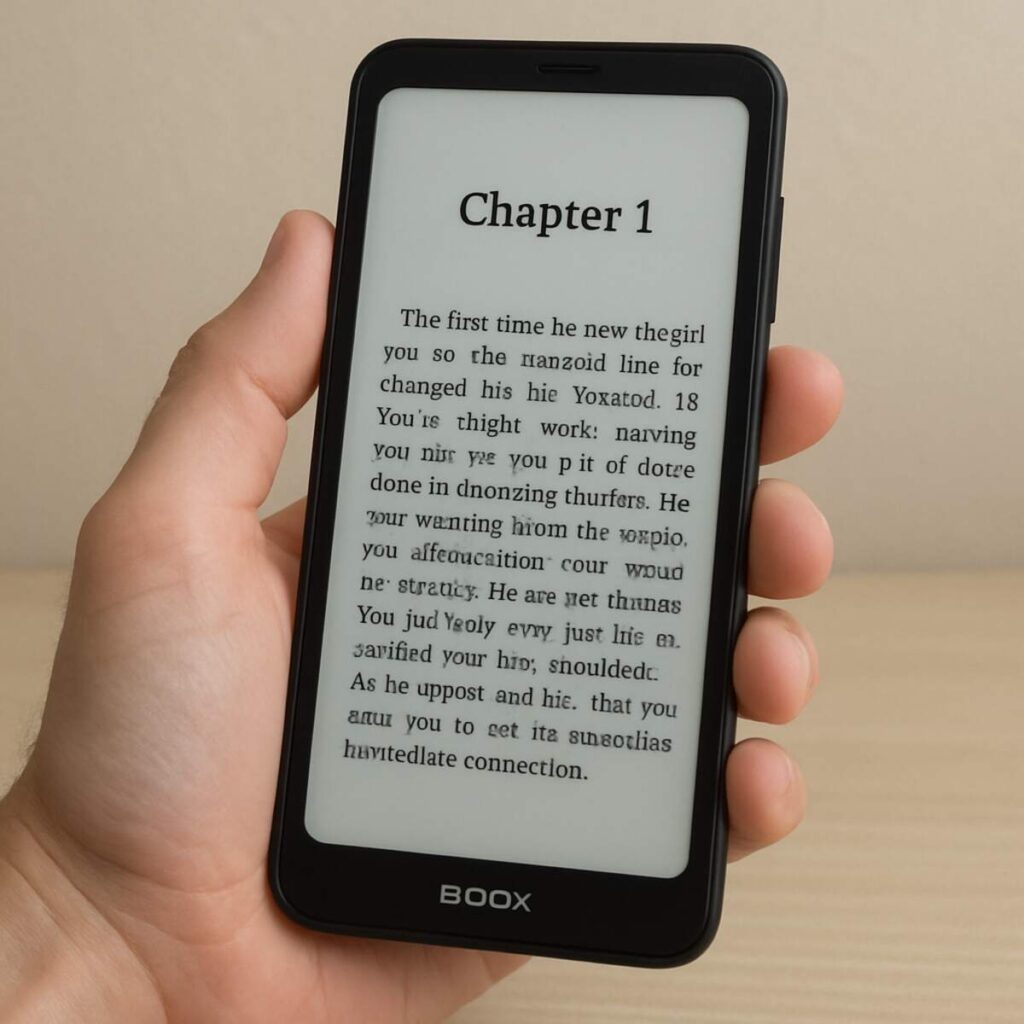
The true brilliance of a phone-sized e-reader lies in how it seamlessly fits into those tiny gaps in your busy schedule. While standard tablets are fantastic for studying at a desk, they are often too bulky to pull out while standing on a crowded TTC subway or waiting at the dentist’s office. Because this device runs an open Android operating system, any thorough onyx ereader review will point out that you can install your local library apps, the Kindle store, or even your daily news feeds directly onto it. Instead of reaching for social media when you have five spare minutes, you instinctively open a novel or an article, all without the eye-straining glare of a traditional glass screen.
What makes this compact form factor actually usable for modern apps is a piece of technology called Boox Super Refresh, or “BSR.” Traditional electronic ink is famous for being incredibly slow, requiring a distracting black-and-white flash every time you turn a page or scroll. BSR changes the “speed” of the digital ink particles, allowing them to move quickly enough to scroll smoothly through web pages or emails without leaving a messy trail of ghosted text. This means you get the gentle, paper-like comfort of an e-reader combined with the snappy, responsive feeling you expect from a smartphone, striking a perfect balance for managing your inbox on the go.
Ultimately, swapping your smartphone for a paper-like alternative during your downtime proves incredibly practical for protecting your mental focus and reducing eye fatigue. You finally have a way to stay connected to your reading material without the constant temptation of colorful, addictive apps screaming for your attention. However, this black-and-white experience is not ideal for everyone, particularly if your library consists of graphic-heavy media rather than standard text. If you are specifically interested in vibrant illustrations or reading manga on 10 inch e-ink screens, full-color devices bring traditional ink into the modern era.
Color E-Ink is Here: Exploring Kaleido 3 Screens for Manga and Graphic Novels
Staring at a black-and-white screen is perfect for getting lost in a Stephen King novel, but it falls flat the moment you open a digital comic or a colorful magazine on your local library’s Libby app. For years, Canadian readers had to compromise, switching back to eye-straining iPads whenever they wanted to enjoy colorful illustrations. Now, full-color e-paper has finally matured enough to be a true daily driver. If your digital library is packed with graphic novels, textbooks, or magazines, reading manga on 10 inch e-ink screens is no longer a washed-out, grayscale compromise.
The magic behind this vibrant upgrade relies on Kaleido 3 color e-ink screen technology. Instead of inventing entirely new colored ink particles, this system uses a clever optical trick called a Color Filter Array (CFA). Imagine placing a microscopic sheet of stained glass over a standard black-and-white e-reader screen. When the dark ink particles move to the surface, they shine through the red, green, and blue filters of that “stained glass” to trick your eye into seeing a full spectrum of color, all without adding a harsh, glowing backlight.
However, viewing your screen through this microscopic, filtered window introduces a noticeable trade-off in contrast. Because the color layer sits right on top of the screen, it naturally blocks a bit of ambient light, making the background look closer to light-grey newspaper than crisp white printer paper. To get the best experience, you will often need to rely on the device’s built-in front light to boost the brightness. Thankfully, Onyx lets you tweak the “Vibrancy” and “Saturation” sliders, allowing you to optimise the colours to look beautifully muted for watercolour artwork or deeply saturated for superhero comics.
You also need to manage a visual quirk unique to color e-paper known as “ghosting.” Because displaying color images requires the ink particles to work harder, you might occasionally see faint shadows of the previous page lingering in the background—much like a classroom chalkboard that hasn’t been completely wiped clean. Any thorough onyx ereader review will suggest setting the screen to “HD Mode” for graphic media; it takes a fraction of a second longer to turn the page, but it perfectly clears away these lingering ink shadows. If you are willing to tweak a few settings, this technology brings massive value to specific types of media:
- Manga and Comic Books: Enjoy vibrant, full-page artwork for hours without the eye fatigue caused by traditional tablets.
- Textbooks and PDFs: Color-code your study highlights and easily distinguish between lines on complex technical charts.
- Children’s Books: Keep younger readers engaged with colorful picture books before bed without emitting sleep-disrupting blue light.
- Magazine Subscriptions: Browse your favorite Canadian lifestyle magazines exactly as they were originally printed.
Deciding if this color upgrade is worth the premium price tag ultimately depends on your daily habits. If you exclusively read standard text novels, the slightly darker screen of a Kaleido 3 device might actually feel like a downgrade compared to a cheaper, pure black-and-white Kobo. But if your reading life revolves around colorful charts, graphic novels, or highlighted notes, upgrading to color is a massive win for your eye comfort. Once you have decided which screen type fits your lifestyle, the next hurdle is actually getting your hands on one and navigating shipping and duties.
Avoiding the ‘Customs Surprise’: The Smart Way to Buy Onyx Devices in Canada
Unlike picking up a new Kobo at your local Indigo, hunting for an Onyx ereader Canada retailers actually stock requires a bit of strategic shopping. Because Onyx devices are highly specialized e-ink tablets, you will rarely find them sitting on the shelves of your neighborhood Best Buy. Many first-time buyers excitedly order directly from the manufacturer’s international website, only to be hit with a massive, unexpected bill from the courier before the package is handed over. This “customs surprise” can instantly turn a reasonably priced tech upgrade into an incredibly expensive headache if you don’t know the rules of importing electronics.
Understanding how the Canada Border Services Agency (CBSA) handles international shipments is the easiest way to protect your wallet. When a package crosses the border, the government assesses the dreaded shipping Boox tablets to Canada customs fees, which typically include your provincial sales tax (HST/GST) plus processing charges from couriers like DHL or FedEx. If an international retailer hasn’t collected these Canadian taxes at checkout, the delivery company will pay them on your behalf at the border, then charge you that tax amount plus a hefty “brokerage fee” right at your front door. To avoid this trap, you must shop exclusively with vendors who transparently calculate and collect these border fees upfront.
Beyond the initial purchase price, your choice of retailer dictates how protected you are if something goes wrong. E-ink screens are wonderfully easy on the eyes, but the underlying glass layers can be fragile. If you purchase from an overseas vendor with a rigid return policy, filing a simple warranty claim might force you to pay international shipping to mail a defective unit back to Asia. Canadian readers should prioritize vendors that offer local return windows, giving you enough time to test the stylus, check the screen for dead pixels, and ensure the battery meets your daily reading needs without risking expensive shipping costs.
Fortunately, there are a few stress-free pathways to get these premium devices delivered to your doorstep without hidden border fees. When shopping, stick to these three reliable routes:
- Amazon.ca: The safest choice for most general buyers. Devices ship domestically, meaning taxes are handled standardly at checkout, and you get the benefit of a 30-day, hassle-free return window if you decide the tablet isn’t for you.
- B&H Photo Video: A massive New York-based retailer that specifically caters to northern shoppers. B&H Photo shipping to Canada for electronics is incredibly transparent; their checkout system lets you prepay all CBSA taxes and duties so there are zero surprise charges at delivery.
- Specialized Canadian Retailers: Look for authorized Canadian distributors for e-ink tablets like e-Reader.ca. Buying from a domestic small business guarantees local support, no border surprises, and a warranty process that won’t require overseas mailing.
Deciding between these options usually comes down to inventory availability and your personal comfort level with returns. Amazon is unbeatable if you want to try the device with zero friction, though they don’t always stock the newest color models immediately upon release. If the exact screen size or stylus bundle you want is out of stock domestically, B&H Photo acts as the perfect safety net. Whichever route you choose, paying slightly more upfront for a transparent, duty-paid checkout will always save you money and stress compared to rolling the dice with international customs.
Unboxing an open Android e-reader can feel a bit overwhelming compared to a basic e-book reader, but the learning curve is surprisingly manageable. With the logistics of customs and shipping handled, setting up your favorite apps and transferring your books seamlessly is the final step.
Your 30-Day Transition Plan: Moving Your Library from Kobo/Kindle to Boox
You started this journey familiar with the standard digital reading experience—likely jumping between a restricted tablet that strained your eyes and a basic device locked to a single bookstore. Now, you hold the blueprint for a completely unified digital life. Moving past the limitations of traditional devices means you no longer have to choose between eye comfort and app functionality. You are equipped to consolidate your library cards, audiobooks, and work documents onto a single, glare-free screen.
Finding the right fit comes down to how you spend your day. When looking at an onyx ereader comparison, consider these distinct Canadian lifestyles to make your final choice:
- The Student: Opt for a 10.3-inch model to comfortably read PDF textbooks, annotate lecture slides, and organize study notes without screen fatigue.
- The Commuter: Choose a pocket-friendly 6-inch or 7.8-inch device to easily read the news or listen to podcasts on the GO Train or SkyTrain.
- The Executive: Look toward the high-end Tab Ultra line to handle email triage, digital document signing, and distraction-free drafting in the office.
- The Hardcore Reader: Stick to mid-sized options to seamlessly flip between Kindle, Kobo, and your local library’s Libby app on one beautiful display.
Securing your ideal Onyx ereader Canada model is only the beginning of your upgrade. Once your device arrives, seamlessly migrating your current digital library is surprisingly straightforward. Simply log into your existing accounts through the downloaded apps, and your Kindle purchases, Kobo library, and Canadian library loans will immediately sync. You retain all your past book investments while instantly gaining a paper-like canvas for everything new.
Set yourself up for immediate success by treating your first week as a gentle transition. Your very first action should be to enable the Google Play Store in settings, unlocking the vast ecosystem of Android apps you already use. If you purchased one of the best e-ink tablets for note-taking in Canada, spend a few days experimenting with the stylus pressure and different digital pen types before migrating your critical work journals over.
Measure your success during this first month not by how fast the screen refreshes, but by how your eyes feel at the end of a long workday. Notice the absence of that gritty, tired sensation after reading for two hours, and pay attention to how much more focused you are when notifications aren’t constantly popping up in full colour. Fine-tune your daily experience by adjusting the screen refresh speeds—using “HD mode” for crisp book pages and “Fast mode” for scrolling web articles—until the device matches your personal rhythm.
You no longer have to view e-ink as just a dedicated novel-reading tool. It is now a quiet, focused extension of your digital workspace that respects your attention and protects your vision. Step away from the harsh glare of traditional screens, build your ultimate unified library, and enjoy a smarter, gentler way to stay productive.