


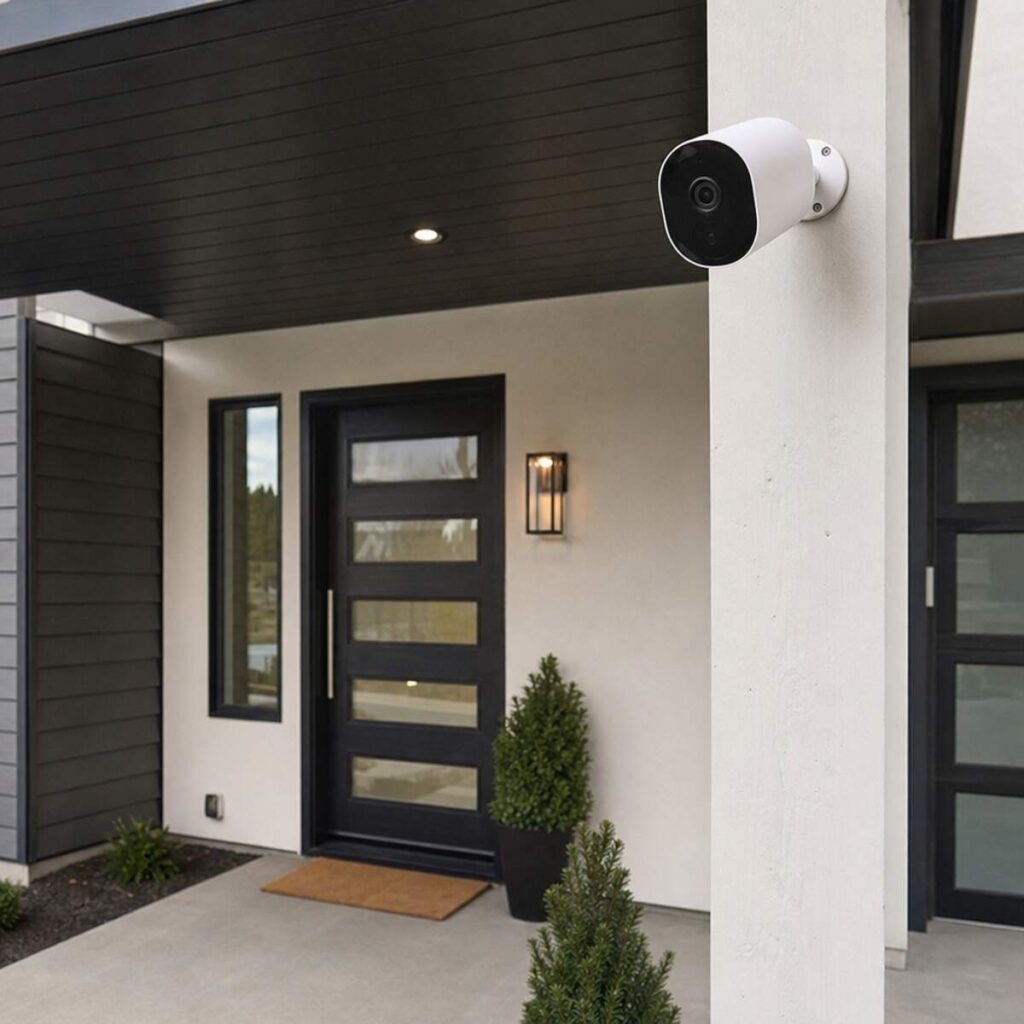
Securing your home is no longer a luxury; it is a fundamental necessity. In an era when technology has made immense leaps, protecting your property, family, and peace of mind has become more accessible and advanced than ever. Whether you have recently moved into a new neighborhood, experienced a localized security concern, or simply want to upgrade your current setup, understanding the nuances of Residential CCTV Installation is your first step toward building a fortified domestic sanctuary. What do you consider about Residential CCTV Installation.
This comprehensive guide is designed to walk you through every single aspect of home surveillance. From choosing the right equipment and understanding complex technical specifications to navigating the legal landscape and troubleshooting connectivity issues, we will cover everything you need to know. Grab a cup of coffee, and let’s dive into the ultimate blueprint for protecting your home.
Table of Contents
1. The Evolution and Importance of Home Security Cameras
Gone are the days when CCTV (Closed-Circuit Television) was reserved exclusively for large commercial complexes or banks. Today, home security cameras have evolved into sleek, highly intelligent devices capable of discerning between a human and a passing car, seeing in pitch-black darkness, and sending high-definition video directly to your smartphone in milliseconds.
Why Invest in Residential Surveillance?
- Visual Deterrence: The mere presence of a camera is often enough to make opportunistic intruders think twice.
- Evidence Collection: In the unfortunate event of a break-in or vandalism, high-quality footage is invaluable to law enforcement.
- Remote Monitoring: Keep an eye on your property, check in on pets, or ensure your children got home safely from school, no matter where you are in the world.
- Insurance Benefits: Many home insurance providers offer significant premium discounts for properties equipped with comprehensive surveillance systems.
The foundation of a reliable system begins with a proper Residential CCTV Installation. A poorly installed system with blind spots, exposed wiring, or weak connectivity is nearly as ineffective as having no system at all.
2. Choosing Your Ecosystem: System Types and Power Options
Before climbing a ladder or drilling a single hole, you must make a foundational decision regarding how your cameras will communicate and receive power. This choice dictates your budget, installation difficulty, and long-term reliability.
Wired vs Wireless Security Camera Systems
The debate between wired vs wireless security camera systems is one of the most common dilemmas for homeowners. Both have distinct advantages and drawbacks.
Wired Camera Systems:
- How They Work: These cameras use physical cables (typically coaxial cables in older analog systems, or Ethernet cables in modern IP systems) to transmit video data and receive power from a central recorder.
- Pros: Unbeatable reliability. Wired systems are immune to Wi-Fi drops, network congestion, and wireless signal interference. They provide constant 24/7 recording without draining batteries.
- Cons: Installation can be labor-intensive. Routing cables through attics, walls, and soffits requires time, tools, and sometimes professional help.
Wireless Camera Systems:
- How They Work: These cameras transmit video data over your home’s Wi-Fi network. Note that “wireless” usually refers to data transmission; they may still need a power cable unless they are “wire-free” (battery-powered).
- Pros: Highly flexible placement and incredibly fast installation. Ideal for renters or homeowners who do not want to drill extensive holes.
- Cons: Susceptible to Wi-Fi dead zones, interference from thick walls, and network outages. Battery-powered models require regular recharging or solar panel add-ons.
PoE vs Wi-Fi Camera Power Options
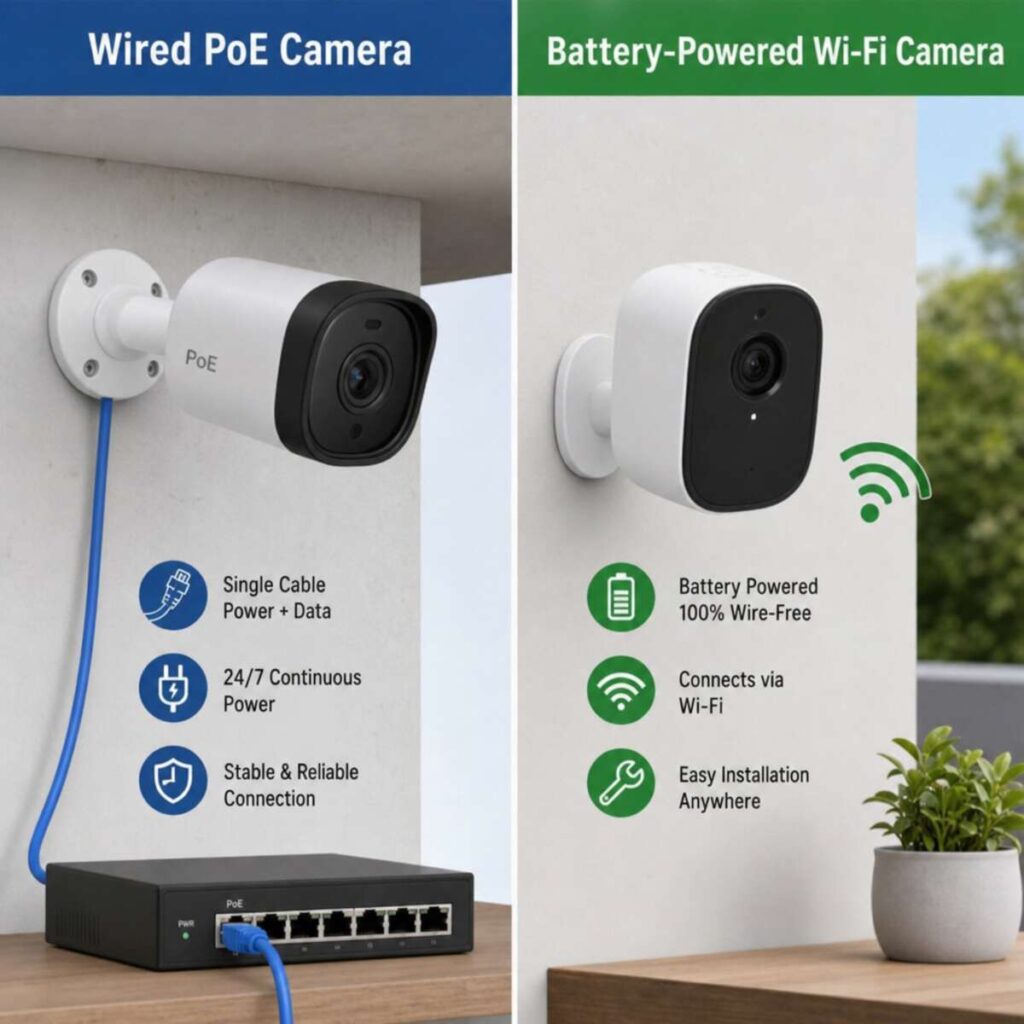
If you opt for a modern IP (Internet Protocol) camera system, you will need to decide how to power the units. Evaluating poe vs wifi camera power options is crucial for system stability.
- PoE (Power over Ethernet): the gold standard for security camera installation. A single Ethernet cable (Cat5e or Cat6) connects the camera to a PoE switch or NVR (Network Video Recorder). This single cable delivers both high-speed network data and electrical power. It is incredibly efficient and highly secure, and it allows cable runs up to 330 feet (100 meters) without signal degradation.
- Wi-Fi with Plug-in Power: The camera connects to your router wirelessly for data but must be plugged into a standard wall outlet for power. While you save on running data cables back to a central hub, you are restricted by the proximity of electrical outlets.
- 100% Wire-Free (Battery/Solar): These rely on internal batteries and Wi-Fi. While ultimate in convenience, they often “sleep” to conserve power, only waking up when motion is detected. This can sometimes result in missing the first few seconds of an event.
Pro Tip: For a robust, set-and-forget Residential CCTV Installation, a wired PoE system is highly recommended. It offers the highest resolution capabilities without bogging down your home’s Wi-Fi network.
3. Strategic Planning: Designing Your Coverage
Even the most expensive camera is useless if it is pointed at a tree branch or facing directly into the rising sun. Planning the best placement for home security cameras requires a strategic walk-through of your property.
Vulnerability Assessment
Start by thinking like an intruder. Where are the darkest areas of your yard? Which doors are obscured from street view? Where are the ground-floor windows?
The Best Placement for Home Security Cameras
- The Front Door (The Primary Target): Statistics show that over a third of burglars use the front door. A camera here not only deters thieves but also monitors package deliveries and visitors.
- Design Note: Utilize a wide angle lens for home entryways. A lens with a field of view (FOV) of 110 to 130 degrees allows you to see the entire porch, the package on the ground, and the person standing at the door without the image becoming severely distorted into an extreme “fisheye” effect.
- Back and Side Doors: These entry points are highly vulnerable because they offer intruders privacy from the street. Mount cameras high enough to be out of reach, but angled down to capture faces.
- The Garage and Driveway: Garages are prime targets for tool and bicycle theft, while driveway cameras protect your vehicles. Aim a camera to capture the length of the driveway, preferably overlapping with the street view.
- First-Floor Windows: Especially those tucked away behind tall bushes or fences.
- Blind Spots: Every home has them—the narrow alley between your house and the neighbor’s, or the space behind the garden shed.
Angles and Heights
Mount your exterior cameras at a height of approximately 8 to 10 feet. This is the “sweet spot.” It is high enough to prevent an intruder from simply reaching up to cover the lens or smash the camera, but low enough to capture clear, identifiable facial features rather than just the tops of people’s heads.
4. Technical Specifications: Decoding the Jargon
When shopping for hardware, you will be bombarded with acronyms and numbers. Understanding what these specs mean in real-world scenarios will prevent you from overspending on features you don’t need, or underspending and getting unusable footage.
Resolution and Facial Identification
Resolution dictates how many pixels make up your video. The higher the resolution, the more you can digitally zoom in on a recorded video without it turning into a blurry mosaic.
If your goal is to be able to identify a stranger’s face or read a license plate, you need to understand ip camera resolution for facial recognition.
- 1080p (2 Megapixels): The old standard. It is fine for general situational awareness (e.g., “someone is walking in the yard”), but falls short for facial recognition at distances greater than 15-20 feet.
- 2K / 4MP (4 Megapixels): The current sweet spot for residential use. It provides excellent clarity, enabling reliable facial recognition at around 30 feet without requiring massive amounts of hard drive space.
- 4K / 8MP (8 Megapixels): Top of the line. 4K offers stunning clarity and the ability to zoom in heavily on recorded footage. However, 4K cameras require more bandwidth and significantly more storage space.
Rule of Thumb: For facial recognition, security experts look for “Pixels Per Foot” (PPF). You generally need about 40-50 PPF to positively identify an unknown face. A 4K camera with a standard lens achieves this at much greater distances than a 1080p camera.
Owning the Night: Infrared and Low-Light Capabilities
Most crimes happen under the cover of darkness. Therefore, the infrared night vision range for domestic use is a critical specification.
- Standard IR (Infrared): Cameras use IR LEDs to flood the area with infrared light, invisible to the human eye but visible to the camera sensor. This results in the classic black-and-white night vision. Look for an IR range of at least 65-100 feet for residential backyards and driveways.
- Color Night Vision: Advanced cameras use highly sensitive image sensors (often marketed as “Starlight” sensors) combined with small, built-in white spotlights. If there is even a tiny amount of ambient light (like a streetlamp), these cameras can produce full-color video in the dead of night, which is vital for identifying the color of a suspect’s clothing or getaway vehicle.
Intelligent Motion Detection
Early motion cameras triggered an alert every time a leaf blew across the screen or a cloud shifted the sunlight. Modern cameras use advanced analytics.
When setting up your system, configuring the motion-detection sensitivity for pets is essential to avoid alarm fatigue.
- PIR Sensors: Passive Infrared sensors detect body heat. They are much better at ignoring moving branches but will still trigger if a large dog runs by.
- AI Smart Detection: The best modern IP cameras feature onboard artificial intelligence. You can configure the system to only send push notifications to your phone if it detects a “Human” or a “Vehicle.” You can set the sensitivity parameters to completely ignore your golden retriever patrolling the backyard, ensuring that when your phone buzzes, it is an alert worth looking at.
5. Storing Your Evidence: Data Management
Where does the video go? How long is it kept? Who has access to it? These questions bring us to the debate of cloud storage vs local dvr recording.
Local Recording (NVR/DVR or SD Card)
- NVR (Network Video Recorder): The brain of a PoE IP camera system. It houses a specialized surveillance hard drive (usually 1TB to 4TB or more).
- MicroSD Cards: Many Wi-Fi and PoE cameras have edge storage via an onboard SD card slot.
- Pros of Local: You own your data. There are no monthly subscription fees. High-resolution 24/7 recording is easily achievable because it doesn’t rely on your internet upload speed.
- Cons of Local: If a burglar steals the NVR unit, they steal the evidence. Hard drives can also fail over time.
Cloud Storage
- How it Works: The camera encrypts the video and uploads it via your internet connection to a secure server maintained by the camera manufacturer (e.g., Ring, Nest, Arlo).
- Pros of Cloud: Video is safely stored off-site. If the camera is smashed or stolen, the footage of the event is already saved in the cloud. Easy to access from anywhere.
- Cons of Cloud: Requires a fast, stable internet connection (specifically a high upload speed). Usually limits recording to motion-events only (no 24/7 continuous recording). Almost always requires a recurring monthly or annual subscription fee.
The Hybrid Approach: The ultimate residential setup uses local NVR storage for 24/7 high-resolution recording, paired with a cloud backup service that specifically saves short clips of “Human/Vehicle” alarm events. This gives you the best of both worlds.
6. The Installation Process: Roll Up Your Sleeves or Call a Pro?
When the equipment arrives, you face a major decision: diy home camera kit vs professional installation.
The DIY Approach
Modern “camera in a box” kits are designed with the consumer in mind. If you are comfortable using a power drill, understand basic networking, and can climb a ladder, installing a system is a very rewarding weekend project.
- Pros: Significant cost savings on labor. Intimate knowledge of your system (making future troubleshooting easier).
- Cons: Time-consuming. Running cables through cramped attics or exterior brickwork can be highly frustrating.
Professional Installation
Hiring a licensed security integrator removes the headache from the process.
- Pros: Clean, aesthetically pleasing wire runs. Expert advice on camera placement. Guaranteed networking and configuration.
- Cons: Labor costs can easily equal or exceed the cost of the equipment itself.
The Art of Concealment: Managing Wires
If you choose the DIY route for a wired system, cable management is your biggest hurdle. Exposed wires are not just an eyesore; they are a massive security vulnerability. A burglar with a pair of wire cutters can disable an exposed camera in seconds.
Knowing how to hide security camera wires sets a professional-grade installation apart from an amateur job.
- The Soffit Route: The cleanest installation involves mounting cameras directly to the eaves or soffits of your roof. You can drill a hole straight up into the attic, feed the cable through, and run it across the attic floor to your central NVR. No wires are exposed to the outside.
- Using Conduit: If you must run wires along an exterior wall (e.g., a brick facade where you cannot get behind the wall), use PVC or metal conduit. Paint the conduit to match the house. It protects the cables from the elements, rodents, and vandals.
- Behind Baseboards and Crown Molding: For indoor wire routing without opening up drywall, you can tuck Ethernet cables behind baseboards or inside specialized raceways that stick to the wall and blend into the trim.
- Junction Boxes: Always use weather-sealed junction boxes when mounting cameras on solid walls. The camera mounts to the box, and the bulky cable connections are securely hidden inside, safe from rain and tampering.
7. Connecting Your World: Remote Viewing and Smart Home Integration
A modern security camera installation extends far beyond the physical hardware; it is deeply integrated into your digital life.
Accessing Your Cameras Anywhere
The ability to pull up your cameras while sitting at your office desk or lounging on a beach on vacation is paramount. A proper remote viewing setup for mobile devices involves configuring your NVR or cameras to communicate with a dedicated smartphone app.
- P2P (Peer-to-Peer) Connections: Most modern systems use P2P technology. You simply download the manufacturer’s app, scan a QR code on the NVR or camera, and the connection is established securely through the manufacturer’s servers. It bypasses the need for complex network configurations.
- Port Forwarding (For Advanced Users): Older or highly customized IP systems may require you to manually open ports on your home router to allow remote access. While this gives you direct control without relying on a third-party P2P server, it requires strict cybersecurity hygiene (strong passwords and port changes) to prevent hackers from accessing your feed.
The Smart Home Ecosystem
Your surveillance system shouldn’t operate in a silo. Smart home security system integration lets your cameras communicate with other smart devices, creating a holistic security network.
- Voice Assistants: Integrate your cameras with Amazon Alexa or Google Assistant. You can use voice commands like, “Alexa, show me the front porch camera,” and the live feed will instantly appear on your Echo Show or smart TV.
- Automated Routines: Using platforms like Apple HomeKit, SmartThings, or IFTTT (If This Then That), you can create powerful automations. For example: If the driveway camera detects a person between midnight and 5:00 AM, automatically turn on all exterior smart floodlights and lock the smart deadbolt on the front door.
- Smart Locks and Doorbells: Video doorbells are a form of CCTV. Integrating them with smart locks means you can see a delivery driver on your app, verbally instruct them to put the package inside, unlock the door remotely, watch them do it, and lock it behind them—all from one interface.
8. Navigating the Legal and Privacy Landscape
It is a common misconception that because you own the property, you can record whatever and whomever you want. Failing to understand the legal requirements for home surveillance can result in neighborhood disputes, fines, or even civil lawsuits.
The Reasonable Expectation of Privacy
The golden rule of video surveillance is that you cannot record individuals in areas where they have a “reasonable expectation of privacy.”
- What is Legal: Recording your own front yard, driveway, front porch, and backyard. It is also generally acceptable if your camera captures the public street or sidewalk in front of your house, as there is no expectation of privacy in public spaces.
- What is Illegal: Pointing your camera so that it looks directly into a neighbor’s bedroom or bathroom window. If your camera is mounted high on your roof and deliberately zoomed in over a neighbor’s privacy fence to monitor their backyard pool, you are likely violating privacy laws.
- Best Practice: Use the “Privacy Masking” feature found in most camera software. This allows you to draw black, opaque squares over specific areas of the camera’s view (like a neighbor’s window) so that area is never recorded, protecting you from liability.
The Audio Trap
Video is one thing; audio is a completely different legal beast. A highly searched question by homeowners is: Do security cameras record audio legally?
The answer depends heavily on your local jurisdiction and wiretapping laws.
- One-Party Consent States (US): In these jurisdictions, at least one party to the conversation must consent to the recording. However, if your camera records two strangers talking on your sidewalk and neither knows they are being recorded, you may be violating wiretapping laws.
- Two-Party (All-Party) Consent States: In states such as California, Florida, and Illinois, all parties to a conversation must consent to being recorded.
- How to Comply: If your cameras record audio, you must prominently display signs stating “Audio and Video Surveillance on Premises.” This acts as implied consent for anyone entering the property. However, to be absolutely safe from legal grey areas, many security professionals advise disabling the audio recording feature on outdoor perimeter cameras entirely, leaving it active only for video doorbells where conversation is explicitly intended.
9. Maintenance and Troubleshooting
A Residential CCTV Installation is not a “set and forget forever” appliance. Like any technology exposed to the elements, it requires occasional maintenance.
Routine Physical Maintenance
- Clean the Lenses: Twice a year, use a microfiber cloth and lens cleaner to wipe down the camera domes or glass. Spider webs, dust, and water spots will severely degrade your infrared night vision, causing a foggy glare known as IR reflection.
- Check Enclosures: Ensure that weather seals are intact and that moisture has not penetrated the camera housing.
- Trim Foliage: That small sapling you planted three years ago might now have branches that actively block your camera’s field of view or constantly trigger motion alarms. Keep landscaping trimmed away from sightlines.
Technical Troubleshooting
Even the best systems occasionally hiccup. Troubleshooting video signal loss in home systems is a necessary skill for any homeowner. If a camera suddenly goes black on your monitor, follow these steps:
- Check the Power/Connection (PoE Systems): Look at the physical PoE switch or NVR. Are the LED lights corresponding to that camera’s port flashing? If not, the camera is not receiving power or data. The most common culprit is a degraded Ethernet cable or a corroded RJ45 connector at the camera end. Re-terminating the cable ends often solves the issue.
- Check the Power (Wi-Fi Systems): Ensure the wall outlet has power. Check the power adapter block; these can fail over time due to power surges and may need replacing.
- Network Congestion and Wi-Fi Drops: If your wireless camera keeps disconnecting, check your router. Has it been moved? Have you added massive new metal appliances (like a refrigerator) between the router and the camera? You may need to upgrade to a mesh Wi-Fi system or add a Wi-Fi extender closer to the camera.
- IP Address Conflicts: Sometimes your router might assign the same IP address to your camera and another device (such as a smart TV or smartphone), causing the camera to drop off the network. Log into your router and assign “Static IP addresses” to all your security cameras to prevent this.
- Firmware Updates: Manufacturers regularly release firmware updates to patch security vulnerabilities and fix bugs. Ensure your NVR and cameras are running the latest firmware.
10. Conclusion: Securing Your Peace of Mind
Executing a flawless Residential CCTV Installation requires a blend of strategic planning, technical hardware expertise, and respect for privacy laws. By carefully considering your property’s layout, choosing the right PoE vs. Wi-Fi camera power options, and ensuring your IP camera’s resolution for facial recognition meets your needs, you can create a digital fortress around your home.
Whether you opt for a weekend project with a diy home camera kit vs professional installation, the ultimate goal remains the same: protecting what matters most. Take the time to manage your cables, configure your motion detection sensitivity settings for pets, and integrate the system into your broader smart home.
A well-installed security camera system is more than just wires and lenses; it is an invisible shield that provides unmatched peace of mind, allowing you to sleep soundly knowing your home is under constant watch, even when you are not.